Fix Frozen Start Menu & Taskbar
Troubleshoot a frozen or unresponsive Start Menu and Taskbar on Windows Server and Windows desktop systems.
Read the GuideStep-by-step Windows troubleshooting guides for Start Menu, Taskbar, Microsoft Photos, Command Prompt, PowerShell, Remote Desktop, storage, security, printer drivers and other common Windows problems.
Troubleshoot a frozen or unresponsive Start Menu and Taskbar on Windows Server and Windows desktop systems.
Read the Guide
Troubleshoot JPG and JPEG files that fail to open correctly in Microsoft Photos on Windows 11 and Windows 10.
Read the Guide
Find the computer or BIOS serial number from Windows without physically opening the PC.
Read the GuideTroubleshoot Remote Desktop Connection problems, RDP settings, Windows Firewall and Remote Desktop services.
Read the Guide
Troubleshoot printer drivers that remain installed or cannot be removed from Windows.
Read the Guide
Investigate hidden storage, AppData, temporary files and Windows system data consuming C drive space.
Read the Guide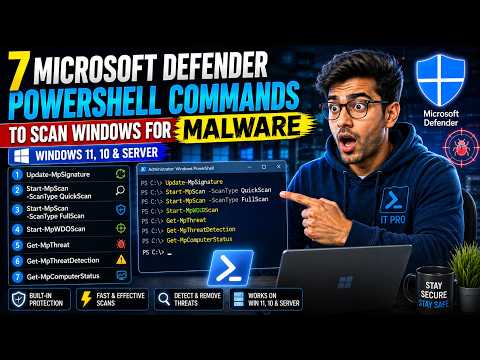
Run Microsoft Defender Quick, Full and Offline scans and review Windows security information using PowerShell.
Read the Guide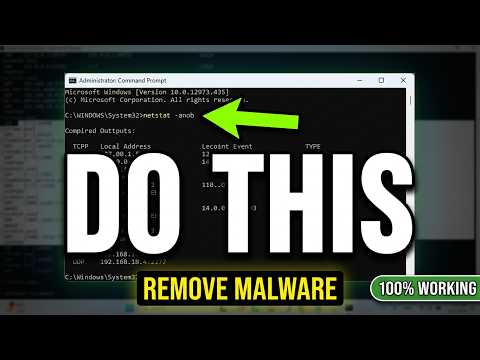
Inspect network connections, listening ports and process IDs when investigating unusual Windows network activity.
Read the Guide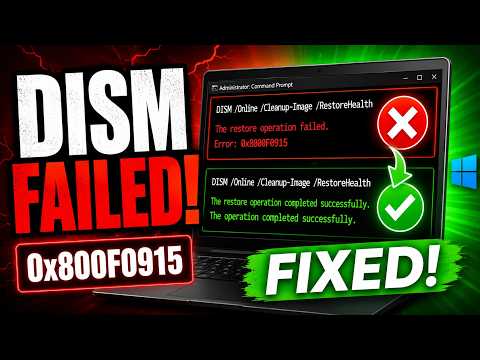
Fix DISM RestoreHealth error 0x800F0915 when Windows reports that the repair content could not be found. Includes SFC, Windows Update reset, ISO install.wim repair source and CBS log troubleshooting.
Read the Guide Watch on YouTubeWindows 11 problems can involve applications, drivers, storage, networking, Windows Update, security components or the Windows user interface.
Before changing system settings, identify the exact problem and check whether it started after a Windows update, driver change, software installation or configuration change.
Many diagnostic tools used in Windows 11 also exist in Windows 10, including Command Prompt, PowerShell, Task Manager, Device Manager, Windows Security and storage-management tools.
However, menus and available features can differ between Windows versions, so always follow instructions appropriate to your installed version.
Windows Server troubleshooting can involve Remote Desktop, Windows services, firewall rules, network connectivity, user sessions, system processes and server roles.
Production servers should be changed carefully. Check the effect of a command or configuration change before applying it to an important server.
Command Prompt remains useful for checking system information, network connections, serial numbers, files and Windows configuration.
UniTech LK CMD guides include:
PowerShell provides detailed access to Windows system, security, storage and administration information.
C drive full, hidden files, TreeSize, PowerShell storage analysis and HDD/SSD troubleshooting.
Storage GuidesMicrosoft Defender, malware scanning, suspicious connections, CMD and Netstat troubleshooting.
Security GuidesPowerShell commands and troubleshooting for Windows administrators and everyday Windows users.
PowerShell GuidesPrinter drivers, Print Spooler, Canon errors and Windows printer troubleshooting.
Printer GuidesWord, OneNote, Excel, Microsoft 365 and Office troubleshooting guides.
Office GuidesDo not delete unknown Windows files, disable important services, remove system drivers or change registry settings without first understanding what the component does.
For important systems, create an appropriate backup or restore option before making major changes.
Identify the exact symptom, check your Windows version and determine whether the issue started after an update, software installation, driver change or configuration change.
Both are useful. CMD remains suitable for many traditional Windows commands, while PowerShell provides more powerful object-based administration and automation capabilities.
Some commands are shared between Windows editions, but features, services and roles can differ. Verify that a command applies to your operating system before using it.
Diagnostic commands are often safe, but commands that delete files, remove drivers, change services or modify system configuration can affect Windows. Understand the command before running it.