PowerShell for Windows
PowerShell Commands & Windows Troubleshooting Guides
Learn PowerShell commands for Windows administration,
troubleshooting, networking, DNS, storage, processes, services,
Microsoft Defender, security and system information.
100+ PowerShell Commands A-Z
Use the UniTech LK PowerShell command library when you need to
quickly find a command and understand what it is used for.
The library covers Windows administration, files, folders,
processes, services, networking, DNS, storage, event logs,
users, scheduled tasks, registry, security and Microsoft Defender.
- Windows Administration
- Files & Folders
- Processes & Services
- Networking & DNS
- Storage & Disk
- Security & Defender
View 100+ PowerShell Commands A-Z
PowerShell Troubleshooting Guides
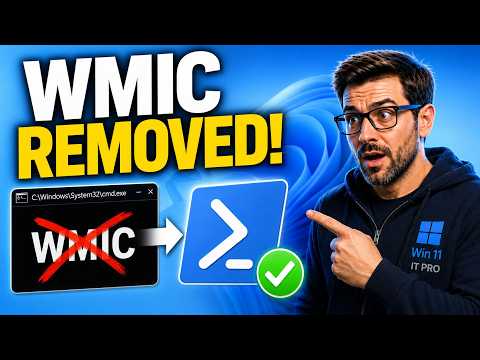
WMIC is deprecated and may be missing on newer Windows 11 systems.
Learn the PowerShell Get-CimInstance commands that replace common
WMIC queries for serial number, computer model, CPU, RAM and disks.
Read the Guide
Watch on YouTube
Browse categorized PowerShell commands with examples and
explanations for Windows administration and troubleshooting.
Open Command Library
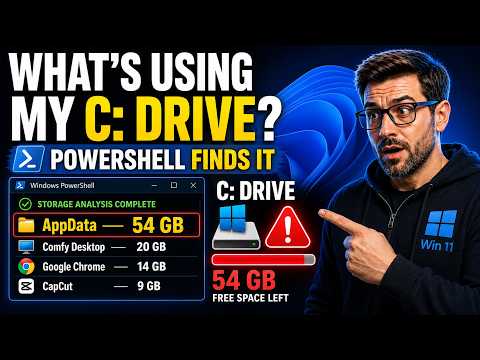
Find large files and folders, investigate C drive usage,
analyze Windows storage and check WinSxS with PowerShell
and Windows servicing tools.
Read the Guide
Watch on YouTube
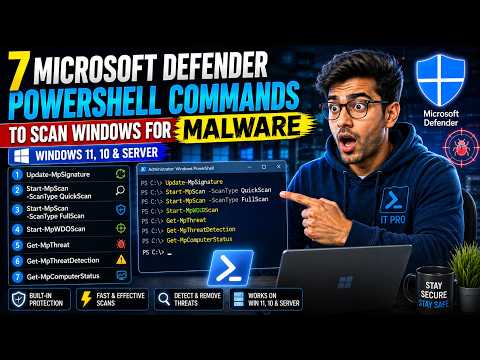
Update security intelligence, run Quick Scan, Full Scan and
Offline Scan, review threat information and check Defender
protection status.
Read the Guide
Watch on YouTube
Common PowerShell Commands
These are examples of PowerShell commands commonly used when
troubleshooting Windows.
Get-Help
Learn what a PowerShell command does and review its parameters.
Get-Help Get-Process
Get-Command
Search the commands available in your current PowerShell
environment.
Get-Command
Get-Process
Display running processes.
Get-Process
Get-Service
Display Windows services and their current status.
Get-Service
Get-ComputerInfo
Display detailed Windows and computer information.
Get-ComputerInfo
PowerShell Network Troubleshooting
PowerShell includes Windows networking commands for checking
adapters, IP configuration, DNS, connectivity and TCP sessions.
Test-Connection
Test basic network connectivity.
Test-Connection 8.8.8.8 -Count 4
Test-NetConnection
Test network connectivity or a remote TCP port.
Test-NetConnection google.com -Port 443
Get-NetAdapter
Show Windows network adapters.
Get-NetAdapter
Get-NetIPConfiguration
Show IP addresses, default gateway and DNS information.
Get-NetIPConfiguration
Get-NetTCPConnection
Show current TCP connections.
Get-NetTCPConnection
Resolve-DnsName
Perform a DNS lookup using PowerShell.
Resolve-DnsName unitechlk.com
PowerShell Storage Commands
PowerShell can inspect disks, partitions, volumes and file-system
storage.
Get-Volume
Get-Volume
Get-Disk
Get-Disk
Get-Partition
Get-Partition
Get-PSDrive
Get-PSDrive -PSProvider FileSystem
For more detailed disk-space investigation, use the complete
storage guide:
PowerShell Storage Analysis
PowerShell Security Commands
PowerShell can assist with file integrity, permissions,
signatures and Microsoft Defender troubleshooting.
Get-FileHash
Generate a SHA256 hash for a file.
Get-FileHash C:\Downloads\file.exe -Algorithm SHA256
Get-AuthenticodeSignature
Check the digital signature information for a supported file.
Get-AuthenticodeSignature C:\Downloads\file.exe
Get-Acl
Read access-control information.
Get-Acl C:\Temp
Microsoft Defender PowerShell Commands
Update Defender Security Intelligence
Update-MpSignature
Quick Scan
Start-MpScan -ScanType QuickScan
Full Scan
Start-MpScan -ScanType FullScan
Offline Scan
Start-MpWDOScan
Check Defender Status
Get-MpComputerStatus
Review Defender Threats
Get-MpThreat
Review Threat Detection History
Get-MpThreatDetection
Complete Defender PowerShell Guide
PowerShell File & Folder Commands
Get-ChildItem
List files and folders.
Get-ChildItem C:\Users
Copy-Item
Copy a file or folder.
Copy-Item C:\Temp\file.txt D:\Backup\file.txt
Move-Item
Move a file or folder.
Move-Item C:\Temp\file.txt D:\Backup\
Get-Content
Read the contents of a text file.
Get-Content C:\Temp\log.txt
Windows Administration with PowerShell
PowerShell can help administrators inspect and manage Windows
services, processes, scheduled tasks, local accounts, system
information and remote computers.
- Processes
- Windows services
- Local users
- Local groups
- Scheduled tasks
- Event logs
- Registry information
- Windows networking
- Storage
- Microsoft Defender
- Remote PowerShell
Browse All PowerShell Commands
PowerShell Topics
UniTech LK PowerShell guides cover topics including:
- PowerShell commands
- PowerShell commands list
- PowerShell commands A-Z
- Windows 11 PowerShell commands
- Windows 10 PowerShell commands
- Windows Server PowerShell commands
- PowerShell administrator commands
- PowerShell troubleshooting commands
- PowerShell network commands
- PowerShell DNS commands
- PowerShell IP commands
- PowerShell port test
- PowerShell TCP connections
- PowerShell storage commands
- PowerShell disk commands
- PowerShell find large files
- PowerShell C drive analysis
- PowerShell process commands
- PowerShell service commands
- PowerShell file commands
- PowerShell folder commands
- PowerShell security commands
- PowerShell malware scan
- Microsoft Defender PowerShell commands
- PowerShell registry commands
- PowerShell event log commands
- PowerShell user commands
- PowerShell system information
- PowerShell serial number command
- PowerShell Windows administration
- WMIC PowerShell replacement
- WMIC removed Windows 11
- Get-CimInstance commands
PowerShell Command Safety
Not every PowerShell command requires Administrator privileges.
Use elevation only when the task requires it.
Be especially careful with commands that remove files, stop
services, change permissions, modify registry values, alter
networking or change Windows security settings.
Always understand a command before running it on an important
Windows computer or production server.
PowerShell Frequently Asked Questions
Where can I find PowerShell commands?
Use Get-Command inside PowerShell or browse the UniTech LK
PowerShell Commands A-Z reference.
Open PowerShell Commands A-Z
How do I get examples for a PowerShell command?
Use Get-Help followed by the command and the
-Examples parameter.
Get-Help Test-NetConnection -Examples
Can PowerShell troubleshoot network problems?
Yes. PowerShell provides commands for connectivity tests,
TCP ports, IP configuration, adapters, routes, DNS and
active TCP connections.
Can PowerShell find large files?
Yes. PowerShell can recursively enumerate files, measure file
sizes and sort them to identify large storage usage.
Can PowerShell check Microsoft Defender?
Supported Microsoft Defender PowerShell commands can display
protection status, update security intelligence, start scans
and review threat information.
Related UniTech LK Troubleshooting Hubs
← Back to UniTech LK Troubleshooting Guides