← UniTech LK Troubleshooting Guides
Printer Troubleshooting

Canon Printer Troubleshooting, P07, 5B00 & Ink Absorber Guides

Practical Canon PIXMA and G-Series printer troubleshooting guides for Error P07, Support Code 5B00, ink absorber full warnings, waste ink problems, service conditions and printer maintenance.

Featured Canon Printer Guide

Canon Error P07 and Support Code 5B00

Some Canon PIXMA and G-Series printers can display Error P07 together with support codes such as 5B00 or 5B01.

These errors are associated with printer service conditions and can be related to the waste ink or ink absorber system on supported models.

Canon also uses separate warning codes when an ink absorber is approaching capacity, so the exact message and procedure should always be checked for the specific printer model.

Canon Ink Absorber and Waste Ink System

Inkjet printers perform print-head cleaning and maintenance operations. Waste ink generated during these processes must be collected inside the printer.

The absorber system contains material designed to hold this waste ink. Over time, the printer may report that the absorber requires service attention.

Resetting a counter does not physically remove accumulated ink. The absorber and surrounding waste ink system should be inspected and serviced appropriately.

Important: Canon Models Are Different

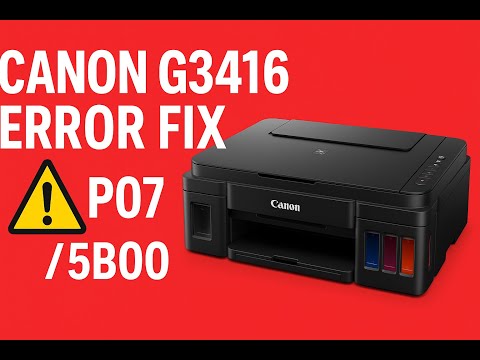
The UniTech LK video on this page demonstrates the Canon PIXMA G3416.

Do not assume that the absorber location, disassembly procedure, service mode or waste ink counter reset is identical on every Canon printer.

Always check instructions for the exact Canon model before opening the printer or performing service-mode operations.

Canon Inkjet Printer Families

Canon sells several PIXMA inkjet printer families. Waste ink and absorber systems exist across many inkjet designs, but the maintenance procedure can differ significantly.

Canon PIXMA G-Series / Refillable Ink Tank Printers

Examples of Canon G-Series and related refillable ink-tank models include:

Exact model numbers vary by country and region.

Canon PIXMA MG Series

The Canon PIXMA MG family includes many cartridge-based inkjet printers such as MG2400, MG2500, MG2900, MG3000, MG3600, MG4200, MG5400, MG5500, MG5600, MG5700, MG6400, MG6600, MG6800, MG7100, MG7500 and MG7700 series printers.

Canon PIXMA TS Series

Canon PIXMA TS inkjet printers include TS200, TS300, TS3100, TS3300, TS3400, TS3500, TS5000, TS5100, TS5300, TS5400, TS6000, TS6100, TS6200, TS6300, TS700, TS7400, TS7500, TS8000, TS8200, TS8300, TS8700, TS8800 and related regional models.

Canon PIXMA TR Series

Canon PIXMA TR printers include TR4500, TR4600, TR4700, TR7000, TR7500, TR7600, TR8500 and TR8600 families, along with related regional variants.

Canon PIXMA iP, iX and MX Series

Older Canon PIXMA iP, iX and MX inkjet printer families also use waste ink systems, but their internal layouts and maintenance procedures can differ considerably from modern G-Series printers.

Common Canon Printer Problems

Canon Printer Troubleshooting Search Topics

UniTech LK printer guides cover Canon printer error codes, Canon PIXMA troubleshooting, Canon G-Series maintenance, ink absorber warnings, waste ink systems, printer service conditions and related Windows printer problems.

Future printer guides will be added here as new Canon, Windows printer driver, Print Spooler and printer installation troubleshooting videos are published.
Canon Printer Frequently Asked Questions

What does Canon Error P07 mean?

On supported Canon models, P07 can appear together with support codes such as 5B00 or 5B01 when the printer reports a service condition.

What does Canon Support Code 5B00 mean?

5B00 is associated with a printer service condition involving the waste ink or ink absorber system on supported Canon models.

What is the Canon ink absorber?

It is part of the printer's waste ink collection system and absorbs ink produced during print-head cleaning and other maintenance operations.

Can I remove the Canon ink absorber myself?

Access and removal vary by model. The UniTech LK video demonstrates the Canon G3416 only. Other Canon printers may require a different disassembly and servicing procedure.

Does resetting 5B00 clean the absorber?

No. Resetting an electronic waste ink counter does not physically remove waste ink from an absorber.

Can the Canon 5B00 error return?

Yes. If the physical waste ink condition has not been addressed, or the printer requires further service, the problem can return.

Related UniTech LK IT Troubleshooting

← Back to UniTech LK Troubleshooting Guides