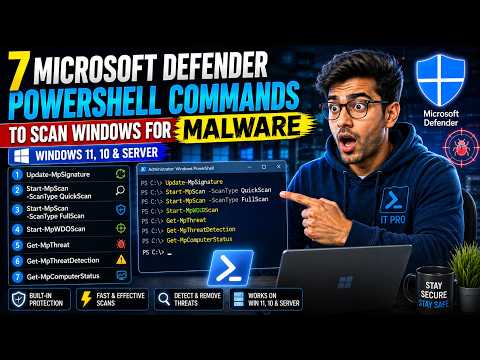
Microsoft Defender PowerShell Malware Scan
Update Defender security intelligence, run Quick Scan, Full Scan and Offline Scan, review detected threats and verify Defender protection status.
Read the GuidePractical Windows security guides for Microsoft Defender, malware scans, suspicious processes, network connections, CMD, Netstat and PowerShell security troubleshooting.
Update Defender security intelligence, run Quick Scan, Full Scan and Offline Scan, review detected threats and verify Defender protection status.
Read the Guide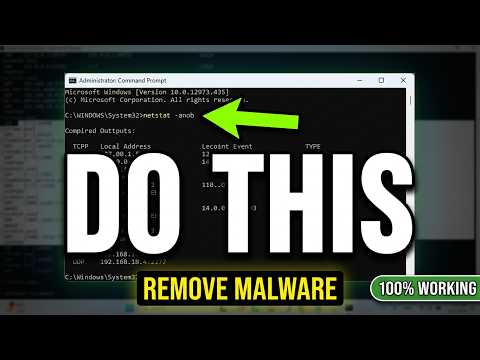
Inspect active network connections, listening ports and process IDs when investigating suspicious Windows activity.
Read the GuideMicrosoft Defender is built into supported Windows systems and provides malware protection, security intelligence updates and multiple scan types.
PowerShell can be useful for administrators who want to check Defender status or run scans directly from the command line.
Command Prompt can help investigate network activity and running processes when something appears unusual.
The goal is to collect evidence before making changes rather than assuming that every unknown process or connection is malicious.
Netstat can display active TCP connections, listening ports, remote addresses, connection states and process IDs.
A commonly used diagnostic command is:
The process ID can then be investigated using Task Manager, tasklist or PowerShell.
If Netstat shows a process ID, you can identify the process using:
Or with PowerShell:
Replace 1234 with the actual PID you are investigating.
Windows, browsers, cloud services, Microsoft applications, update services, security software and other legitimate programs make network connections.
Investigate the process name, executable path, publisher, digital signature and associated service before taking action.
Microsoft Defender exposes supported PowerShell commands that can update protection data, start scans and display Defender status information.
No. Netstat shows network activity. It can help identify connections that need further investigation, but a security scanner and additional analysis are needed to confirm malware.
It shows active connections and listening ports using numerical addresses and includes the process ID associated with each entry.
Not automatically. First identify the executable path, publisher and service associated with the process. Legitimate Windows components can have unfamiliar names.